Bitmap Module
The Bitmap module provides functions for loading and manipulating bitmap images (BMP) in JARU. This module is essential for working with graphics and images in your applications, both on the Windows VM and ESP32 devices.
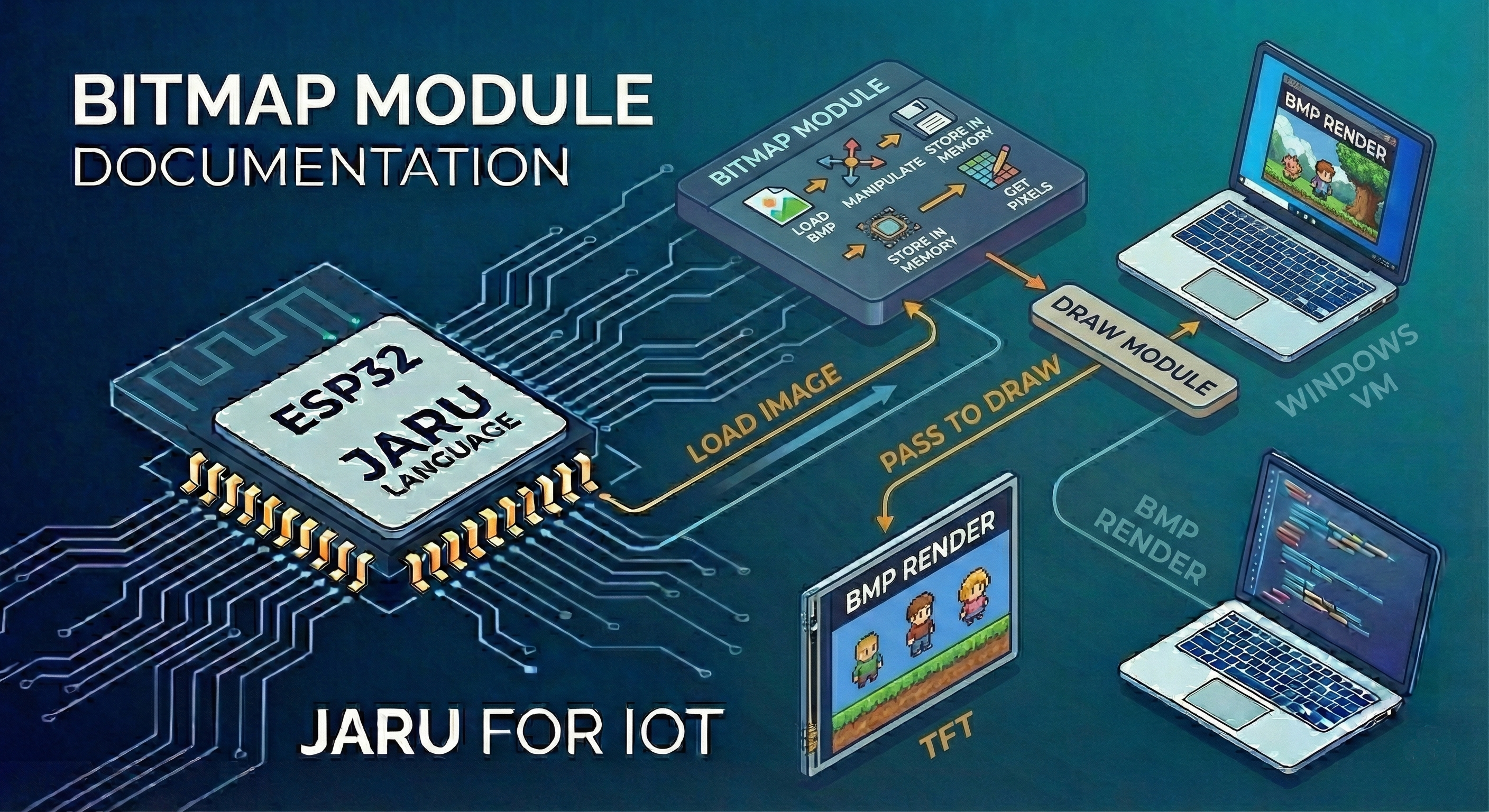
Loaded bitmaps can be subsequently used with the Draw module to render them on screen, create graphical interfaces, display game sprites, or any other application requiring image visualization.
Usage
use Bitmap
Functions
load
The load(file, [transparentColor]) function loads a BMP image file from the file system and returns a bitmap object that can be used to render the image on screen.
Parameters
| Parameter | Type | Description |
|---|---|---|
file | string | Relative path to the BMP file to load |
transparentColor | integer | (Optional) Color that will be treated as transparent in hexadecimal format. Default is 0x000000 (black) |
Return
Returns a Bitmap object with the following properties:
| Property | Type | Description |
|---|---|---|
width | integer | Image width in pixels |
height | integer | Image height in pixels |
bpp | integer | Bits per pixel (color depth) |
size | integer | Bitmap size in bytes |
transparent | integer | Assigned transparent color |
Basic Example
use Bitmap
use Display

// Open the screen
Display.open(320, 240)

// Load a bitmap
var image = Bitmap.load("logo.bmp")

// Display bitmap information
println("Width: ", image.width)
println("Height: ", image.height)
println("Depth: ", image.bpp, " bits")
Example with Transparent Color
use Bitmap
use Display

Display.open(320, 240)

// Load bitmap with magenta (0xFF00FF) as transparent color
var sprite = Bitmap.load("character.bmp", 0xFF00FF)

// The magenta color will not be drawn, allowing the background to show through
BMP files must be placed in the Data/ directory of your project:
- ESP32: Files are loaded from
/Data/in LittleFS or SD card - Windows: Files are loaded from the project's
Data/directory
The Bitmap module supports files in BMP (Windows Bitmap) format. For best results on ESP32, it's recommended to use 16-bit color depth images.
Usage with the Draw Module
Once a bitmap is loaded, you can render it on screen using the Draw module functions:
use Bitmap
use Display

Display.open(320, 240)
var draw = Display.draw

// Load the bitmap
var background = Bitmap.load("background.bmp")
var character = Bitmap.load("hero.bmp", 0xFF00FF)

// Draw the background at position (0, 0)
draw.bitmap(background, 0, 0)

// Draw the character centered
var x = (Display.width - character.width) / 2
var y = (Display.height - character.height) / 2
draw.bitmap(character, x, y)

// Update the screen
Display.redraw()
Complete Example: Image Gallery
use Bitmap
use Display
use GPIO

Display.open(320, 240)
var draw = Display.draw

// Load several images
var images = [
    Bitmap.load("photo1.bmp"),
    Bitmap.load("photo2.bmp"),
    Bitmap.load("photo3.bmp")
]

var index = 0
var total = len(images)

// Configure button to change image
GPIO.pinmode(15, GPIO.IN)

while (true)
    // Clear screen
    draw.cls(0x000000)

    // Draw current image centered
    var img = images[index]
    var x = (Display.width - img.width) / 2
    var y = (Display.height - img.height) / 2
    draw.bitmap(img, x, y)

    // Show image number
    var numImg = index + 1
    draw.setcolor(0xFFFFFF)
    draw.text(10, 10, "Image " + numImg.toString() + "/" + total.toString())

    Display.redraw()

    // Change image with button
    if (GPIO.read(15) == GPIO.HIGH) then
        index = (index + 1) % total
        pause(300)  // Debounce
    end

    pause(50)
end
Example: Sprite Animation
use Bitmap
use Display

Display.open(320, 240)
var draw = Display.draw

// Load animation frames with transparency
var frames = [
    Bitmap.load("walk1.bmp", 0xFF00FF),
    Bitmap.load("walk2.bmp", 0xFF00FF),
    Bitmap.load("walk3.bmp", 0xFF00FF),
    Bitmap.load("walk4.bmp", 0xFF00FF)
]

var currentFrame = 0
var numFrames = len(frames)
var x = 0

while (true)
    // Clear screen
    draw.cls(0x87CEEB)  // Sky color

    // Draw ground
    draw.rectfill(0, 200, 320, 240, 0x228B22)

    // Draw current sprite
    draw.bitmap(frames[currentFrame], x, 160)

    Display.redraw()

    // Advance animation
    currentFrame = (currentFrame + 1) % numFrames
    x = (x + 2) % Display.width

    pause(100)
end
Memory Considerations
Bitmaps use significant memory, especially on ESP32 devices with limited resources. Keep in mind:
- A 100x100 pixel bitmap at 16 bits uses approximately 20 KB
- A 320x240 pixel bitmap at 16 bits uses approximately 150 KB
Use memFree() to monitor available memory before loading large images.
use Bitmap

// Check memory before loading
println("Free memory: ", memFree(), " bytes")

var image = Bitmap.load("large.bmp")

println("Memory after loading: ", memFree(), " bytes")
println("Bitmap size: ", image.size, " bytes")
Supported Platforms
| Platform | Support | Notes |
|---|---|---|
| Windows (SDL2) | ✅ | Loads from project's Data/ directory |
| ESP32 | ✅ | Loads from LittleFS or SD card |
| Emscripten (Web) | ✅ | Loads from virtual Data/ directory |