Power Module
The Power module provides functions to manage ESP32 power consumption, allowing you to implement low-power modes (light sleep) and configure wake-up sources.
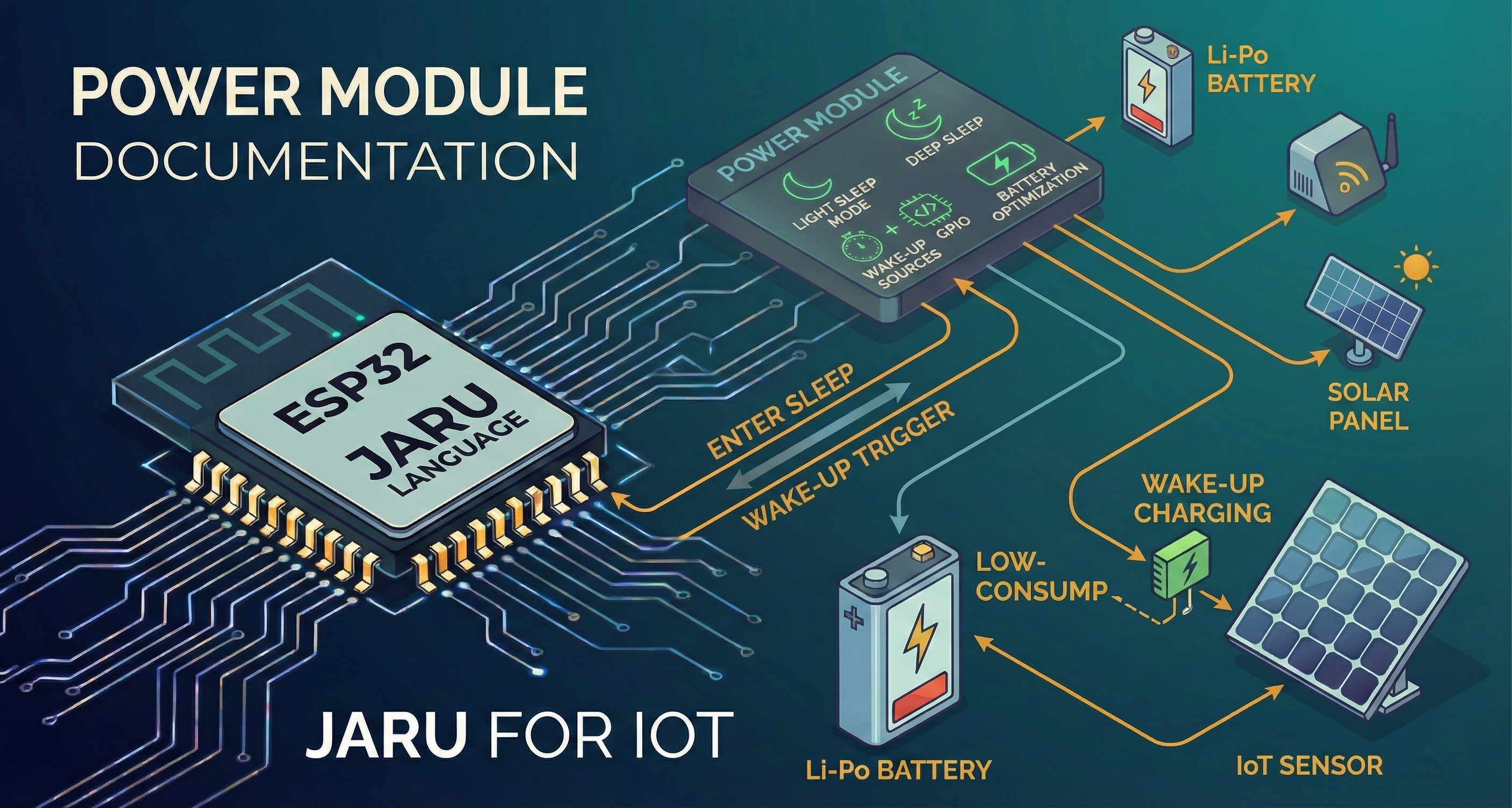
This module is especially useful for IoT applications powered by battery or solar energy, where minimizing power consumption is crucial to extend device autonomy.
Usage
use Power
To use the Power module, you need to import it into your JARU program. Then, configure one or more wake-up sources and execute sleep() for the ESP32 to enter low-power mode.
Functions
wakeOnTimer
The wakeOnTimer(microseconds) function configures a timer as a wake-up source. The ESP32 will automatically wake up after the specified time.
use Power

// Wake up after 5 seconds (5,000,000 microseconds)
Power.wakeOnTimer(5000000)
Power.sleep()

println("Awakened by timer!")
Parameters:
microseconds: Time in microseconds before waking up (integer or float)
Returns: true if configuration was successful, false otherwise.
For times in seconds, multiply by 1,000,000. For example, 30 seconds = 30,000,000 microseconds.
wakeOnPin
The wakeOnPin(pin, level) function configures an RTC pin as a wake-up source. The ESP32 will wake up when the pin reaches the specified level.
use Power

// Wake up when pin 33 goes HIGH
Power.wakeOnPin(33, HIGH)
Power.sleep()

println("Awakened by pin!")
Parameters:
pin: GPIO pin number (must be a valid RTC pin)level: Level that triggers wake-up (HIGHorLOW)
Returns: true if configuration was successful, false otherwise.
Only certain GPIO pins can be used as RTC wake-up source (ext0). On standard ESP32, valid RTC pins are: 0, 2, 4, 12, 13, 14, 15, 25, 26, 27, 32, 33, 34, 35, 36, 37, 38, 39.
wakeOnGPIO
The wakeOnGPIO() function enables general GPIO wake-up. This option is less power-efficient than wakeOnPin(), but allows using more pins.
use Power
use GPIO

// First configure the pin with gpio_wakeup_enable
GPIO.pinmode(4, GPIO.INPUT)
// (Requires additional system-level configuration)

Power.wakeOnGPIO()
Power.sleep()
Returns: true if configuration was successful, false otherwise.
This function requires GPIOs to be previously configured with gpio_wakeup_enable() at the system level. It's more common to use wakeOnPin() for simple cases.
sleep
The sleep() function executes the ESP32 light sleep mode. The device will enter a low-power state until one of the configured wake-up sources is triggered.
use Power

// Configure timer wake-up
Power.wakeOnTimer(10000000)  // 10 seconds

println("Entering sleep mode...")
Power.sleep()
println("Awakened!")
Returns: true if sleep executed successfully, false otherwise.
Light sleep maintains CPU and RAM state, so the program continues exactly where it left off. Deep sleep completely restarts the program. The Power module implements light sleep.
wakeReason
The wakeReason() function returns the cause of the last wake-up. This allows the program to take different actions depending on what triggered the wake-up.
use Power

// Check wake-up cause
var reason = Power.wakeReason()

if (reason == Power.WAKE_TIMER) then
    println("Awakened by timer")
elif (reason == Power.WAKE_EXT0) then
    println("Awakened by RTC pin")
elif (reason == Power.WAKE_GPIO) then
    println("Awakened by GPIO")
else
    println("Unknown reason or first boot")
end
Returns: An integer value corresponding to one of the wake-up cause constants.
Constants
WAKE_UNDEFINED
Indicates that the wake-up cause is undefined or it's the device's first boot.
if (Power.wakeReason() == Power.WAKE_UNDEFINED) then
    println("First boot or unknown cause")
end
Value: 0
WAKE_TIMER
Indicates that the wake-up was caused by the timer configured with wakeOnTimer().
if (Power.wakeReason() == Power.WAKE_TIMER) then
    println("Timer expired")
end
Value: 2
WAKE_EXT0
Indicates that the wake-up was caused by an external RTC source (ext0), configured with wakeOnPin().
if (Power.wakeReason() == Power.WAKE_EXT0) then
    println("RTC pin triggered")
end
Value: 3
WAKE_EXT1
Indicates that the wake-up was caused by an external RTC source (ext1). This option allows multiple simultaneous pins.
if (Power.wakeReason() == Power.WAKE_EXT1) then
    println("Multiple RTC pins triggered")
end
Value: 4
WAKE_GPIO
Indicates that the wake-up was caused by a GPIO configured with wakeOnGPIO().
if (Power.wakeReason() == Power.WAKE_GPIO) then
    println("GPIO triggered")
end
Value: 6
WAKE_UART
Indicates that the wake-up was caused by activity on the UART port.
if (Power.wakeReason() == Power.WAKE_UART) then
    println("UART activity detected")
end
Value: 7
Complete Example: Temperature Sensor with Power Saving
use Power
use GPIO
use Display

// Initial setup
Display.open(320, 240)
var draw = Display.draw

// Sensor pin (simulated)
GPIO.pinmode(34, GPIO.INPUT)

// Reading interval: 30 seconds
var interval = 30000000

fun showTemperature(temp)
    draw.cls(0x000000)
    draw.setcolor(0x00FF00)
    draw.text(60, 100, "Temperature: " + temp + "°C")
    Display.update()
end

fun readSensor()
    // Simulate temperature reading
    return 20 + (GPIO.aread(34) / 100)
end

// Main loop
while (true)
    // Check wake-up cause
    var reason = Power.wakeReason()

    if (reason == Power.WAKE_TIMER) then
        println("Scheduled reading")
    elif (reason == Power.WAKE_EXT0) then
        println("Manual reading requested")
    end

    // Read and display temperature
    var temp = readSensor()
    showTemperature(temp)

    // Wait 2 seconds to see the screen
    pause(2000)

    // Configure wake-up sources
    Power.wakeOnTimer(interval)
    Power.wakeOnPin(33, HIGH)  // Button for manual reading

    // Turn off display and enter sleep
    Display.backlight(0)
    Power.sleep()

    // When awakened, turn on display
    Display.backlight(1)
end
Example: Motion Detector with Notification
use Power
use GPIO
use MQTT

// PIR sensor pin
var pirPin = 27

// Configure MQTT
MQTT.connect("mqtt://broker.local", "detector_01")

// Configure wake-up by sensor
Power.wakeOnPin(pirPin, HIGH)

while (true)
    // Check if we woke up due to motion
    if (Power.wakeReason() == Power.WAKE_EXT0) then
        println("Motion detected!")
        MQTT.publish("home/alarm", "motion")

        // Wait for sensor to stabilize
        pause(5000)
    end

    // Go back to sleep
    Power.wakeOnPin(pirPin, HIGH)
    Power.sleep()
end
Power Consumption Considerations
The ESP32 light sleep mode reduces consumption from approximately 240 mA (active with WiFi) to approximately 0.8 mA. This can significantly extend the battery life of battery-powered devices.
| State | Approximate Consumption |
|---|---|
| Active with WiFi | ~240 mA |
| Active without WiFi | ~20-30 mA |
| Light Sleep | ~0.8 mA |
| Deep Sleep | ~10 µA |
Supported Platforms
| Platform | Support |
|---|---|
| ESP32 | ✅ Full |
| ESP32-S3 | ✅ Full |
| Windows (VM) | ⚠️ Simulated |
In the Windows virtual machine, sleep() simulates behavior using the system's Sleep(). wakeReason() always returns WAKE_TIMER. This allows developing and testing program logic before deploying to real hardware.