Http Module
The Http module provides a lightweight, cross-platform REST client for making HTTP/HTTPS requests from your JARU programs. This module is specifically designed for communication with REST APIs, web services, and IoT endpoints, allowing you to send and receive data easily from both the Windows VM and ESP32 devices.
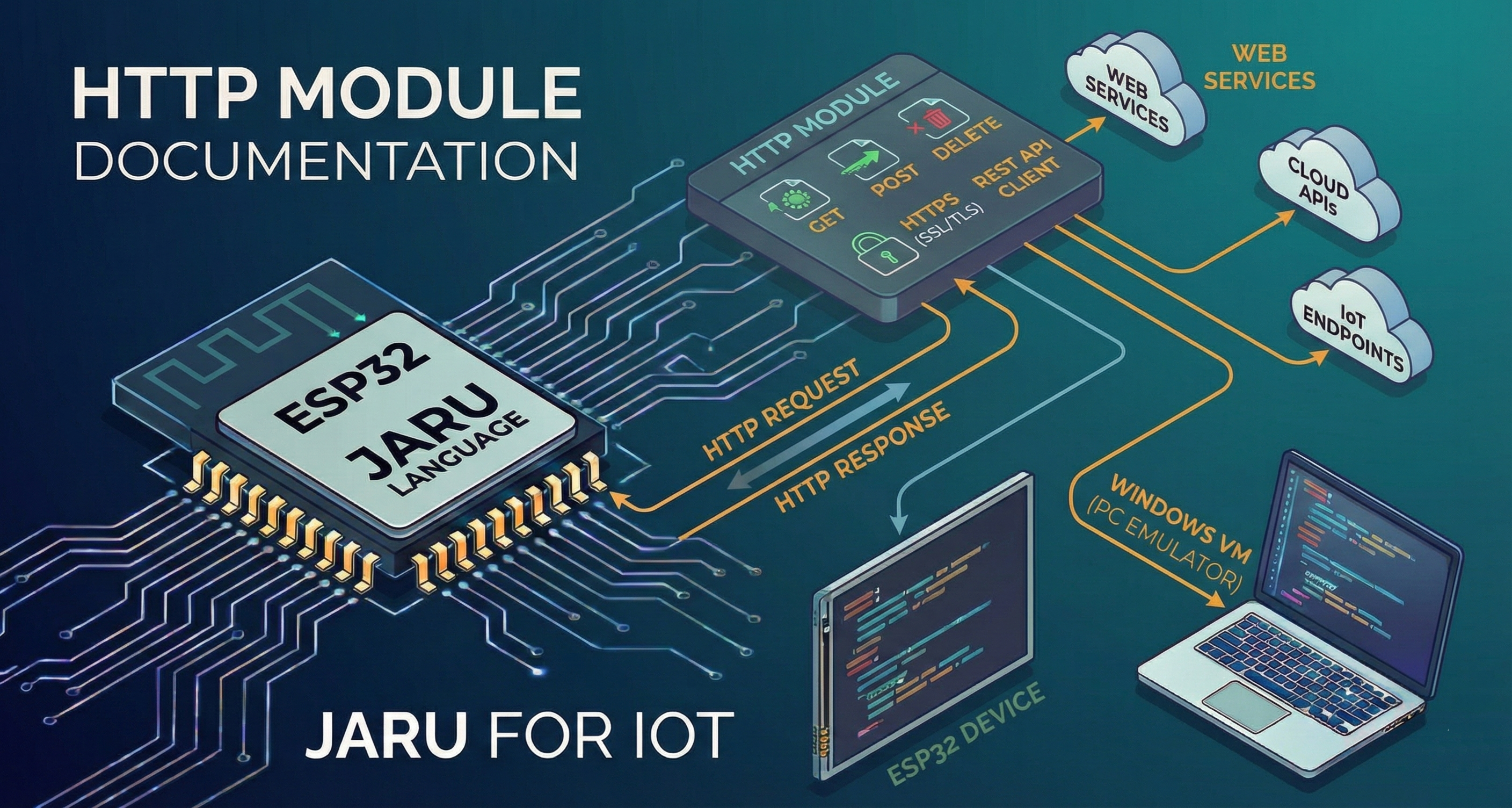
The Http client is ideal for IoT projects that need to communicate with cloud servers, third-party APIs, or your own backend services. It supports GET and POST methods, custom headers, and provides detailed information about request status.
Usage
use Http
Functions
get
The get(url) function performs an HTTP GET request to the specified URL and returns the response body as a text string.
Http.get(url)
Parameters
| Parameter | Type | Description |
|---|---|---|
url | string | Full URL of the resource (including http:// or https://) |
Return
| Type | Description |
|---|---|
string | Response body if the request was successful |
nil | If an error occurred (use error() for details) |
Basic Example
use Http

var response = Http.get("https://api.example.com/data")

if (response != nil) then
    println("Response: ", response)
else
    println("Error: ", Http.error())
end
post
The post(url, body [, contentType]) function performs an HTTP POST request sending data to the server.
Http.post(url, body)
Http.post(url, body, contentType)
Parameters
| Parameter | Type | Description |
|---|---|---|
url | string | Full URL of the endpoint |
body | string | Request body (data to send) |
contentType | string | (Optional) Content type. Defaults to "application/json" |
Return
| Type | Description |
|---|---|
string | Response body if the request was successful |
nil | If an error occurred |
JSON Example
use Http

var data = '{"temperature": 25.5, "humidity": 60}'
var response = Http.post("https://api.example.com/sensors", data)

if (response != nil) then
    println("Server responded: ", response)
    println("Status code: ", Http.status())
else
    println("POST error: ", Http.error())
end
Form-urlencoded Example
use Http

var formData = "username=admin&password=secret"
var response = Http.post(
    "https://api.example.com/login",
    formData,
    "application/x-www-form-urlencoded"
)

if (response != nil) then
    println("Login successful: ", response)
end
setHeader
The setHeader(key, value) function sets a custom HTTP header that will be sent in subsequent requests. Headers persist between calls until cleared with clearHeaders().
Http.setHeader(key, value)
Parameters
| Parameter | Type | Description |
|---|---|---|
key | string | Header name (e.g., "Authorization") |
value | string | Header value (e.g., "Bearer token123") |
Return
Always returns true.
Authentication Example
use Http

// Configure authorization header
Http.setHeader("Authorization", "Bearer my_jwt_token")
Http.setHeader("X-API-Key", "secret_key")

// Headers will be sent with all subsequent requests
var response = Http.get("https://api.example.com/protected-resource")
Headers configured with setHeader() remain active for all subsequent requests. If you need different headers for different APIs, use clearHeaders() between calls.
clearHeaders
The clearHeaders() function removes all previously configured custom headers.
Http.clearHeaders()
Return
Always returns true.
Example
use Http

// Configure headers for one API
Http.setHeader("Authorization", "Bearer api_1_token")
Http.get("https://api1.example.com/data")

// Clear and configure for another API
Http.clearHeaders()
Http.setHeader("X-Custom-Header", "different_value")
Http.get("https://api2.example.com/other-data")
status
The status() function returns the HTTP status code of the last request made.
Http.status()
Return
| Type | Description |
|---|---|
integer | HTTP status code (200, 404, 500, etc.) |
Common Status Codes
| Code | Meaning |
|---|---|
200 | OK - Request successful |
201 | Created - Resource created |
400 | Bad Request - Malformed request |
401 | Unauthorized - Not authorized |
403 | Forbidden - Access denied |
404 | Not Found - Resource not found |
500 | Internal Server Error - Server error |
Example
use Http

var response = Http.get("https://api.example.com/user/123")
var code = Http.status()

switch (code)
    case 200:
        println("User found: ", response)
    case 404:
        println("User does not exist")
    case 401:
        println("Unauthorized - check your token")
    default:
        println("Response code: ", code)
end
error
The error() function returns the error message from the last failed request.
Http.error()
Return
| Type | Description |
|---|---|
string | Descriptive error message, or empty string if no error |
Possible Error Messages
| Error | Description |
|---|---|
"Connection error" | Could not establish connection with server |
"Protocol error" | HTTP protocol error |
"Read error" | Error reading response |
"Write error" | Error sending data |
"Invalid URL" | The provided URL is not valid |
"begin() failed" | Error initializing connection (ESP32) |
Example
use Http

var response = Http.get("https://nonexistent-server.com/api")

if (response == nil) then
    var err = Http.error()
    println("Request failed: ", err)
end
timeout
The timeout([ms]) function allows getting or setting the maximum wait time for HTTP requests.
// Get current timeout
Http.timeout()

// Set new timeout
Http.timeout(ms)
Parameters (setter mode)
| Parameter | Type | Description |
|---|---|---|
ms | integer | Timeout in milliseconds |
Return
| Mode | Type | Description |
|---|---|---|
| Getter | integer | Current timeout in milliseconds |
| Setter | true | Confirmation that value was set |
The default timeout is 10000 ms (10 seconds).
Example
use Http

// View current timeout
println("Current timeout: ", Http.timeout(), " ms")

// Increase timeout for slow APIs
Http.timeout(30000)  // 30 seconds

// Request to API that may take time
var response = Http.get("https://slow-api.com/long-process")
Complete Example: REST Client for IoT
use Http
use WiFi
use GPIO

// Connect to WiFi
WiFi.connect("MyNetwork", "password")
if (not WiFi.isConnected()) then
    println("Error: Could not connect to WiFi")
    return
end
println("Connected! IP: ", WiFi.ip())

// Configure HTTP client
Http.timeout(15000)
Http.setHeader("Content-Type", "application/json")
Http.setHeader("X-Device-ID", "esp32-sensor-001")

// Configure sensor
var sensorPin = GPIO.pin(34, GPIO.INPUT)

// Main loop: send data every 30 seconds
while (true)
    // Read sensor
    var reading = GPIO.aread(sensorPin)
    var temperature = reading * 0.1  // Example conversion

    // Prepare JSON data
    var payload = '{"device": "esp32-001", "temp": ' + temperature + '}'

    // Send to API
    var response = Http.post("https://api.myserver.com/telemetry", payload)

    if (response != nil) then
        println("Data sent OK. Status: ", Http.status())
    else
        println("Error sending: ", Http.error())
    end

    pause(30000)  // Wait 30 seconds
end
Example: Consuming REST API with Authentication
use Http

// Step 1: Get authentication token
var loginData = '{"email": "user@example.com", "password": "pass123"}'
var tokenResp = Http.post("https://api.example.com/auth/login", loginData)

if (tokenResp == nil) then
    println("Login error: ", Http.error())
    return
end

// Parse token from response (simplified)
// In a real case you would use the JSON module
var token = tokenResp  // Assuming API returns just the token

// Step 2: Use token for authenticated requests
Http.setHeader("Authorization", "Bearer " + token)

// Step 3: Get protected data
var data = Http.get("https://api.example.com/users/profile")

if (data != nil and Http.status() == 200) then
    println("Profile obtained: ", data)
else
    println("Error: ", Http.status(), " - ", Http.error())
end

// Step 4: Update data
var update = '{"name": "New Name"}'
var result = Http.post("https://api.example.com/users/profile", update)

if (Http.status() == 200) then
    println("Profile updated successfully")
end
Example: Robust Error Handling
use Http

func safeRequest(url)
    var attempts = 3
    var response = nil

    for (var i = 0; i < attempts; i++)
        response = Http.get(url)

        if (response != nil) then
            var code = Http.status()
            if (code >= 200 and code < 300) then
                return response  // Success
            elsif (code >= 500) then
                // Server error, retry
                println("Server error (", code, "), retrying...")
                pause(2000)
            else
                // Client error, don't retry
                println("Client error: ", code)
                return nil
            end
        else
            println("Connection error: ", Http.error(), ", retrying...")
            pause(2000)
        end
    end

    println("Failed after ", attempts, " attempts")
    return nil
end

// Usage
var data = safeRequest("https://api.example.com/data")
if (data != nil) then
    println("Data: ", data)
end
Important Considerations
On ESP32, make sure the device is connected to a WiFi network before making HTTP requests. Use the WiFi module to establish the connection.
To work with REST APIs that use JSON, combine the Http module with the JSON module to parse responses:
use Http
use JSON

var response = Http.get("https://api.example.com/data")
if (response != nil) then
    var data = JSON.parse(response)
    println("Value: ", data.field)
end
The module supports HTTPS connections. On ESP32, secure connections may require more memory and processing time.
Supported Platforms
| Platform | Support | Notes |
|---|---|---|
| Windows (SDL2) | ✅ | Full HTTP and HTTPS |
| ESP32 | ✅ | HTTP and HTTPS (requires active WiFi) |
| Emscripten (Web) | ❌ | Not supported |