Timer Module
The Timer module allows creating timers that execute callback functions in JARU after a specific time or periodically. It's ideal for scheduled tasks, animations, sensor polling, or any logic that needs to run at regular intervals.
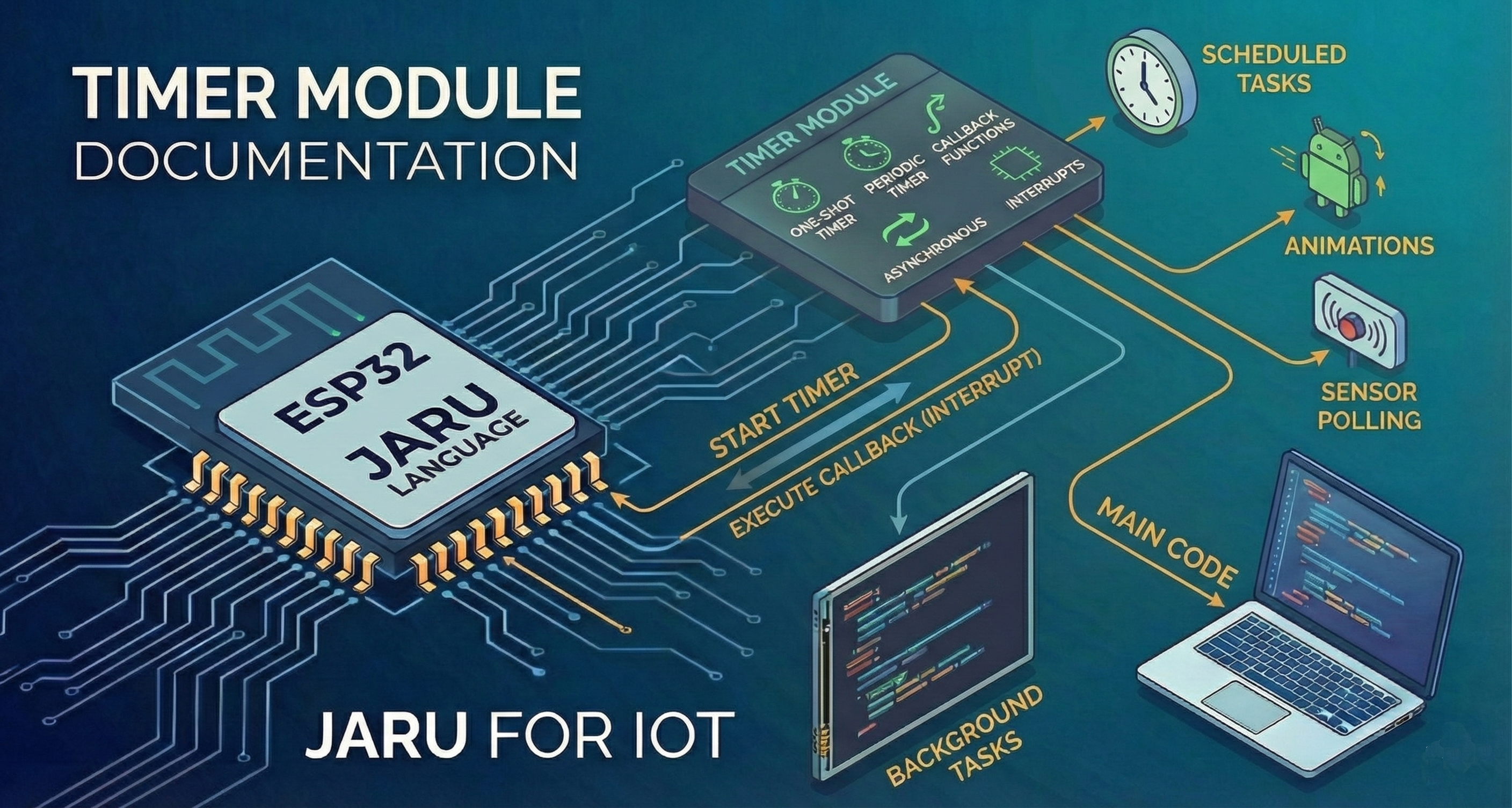
Timers work asynchronously through an interrupt system, meaning your main code can continue running while timers operate in the background.
Usage
use Timer
Functions
after
The Timer.after(ms, callback, [userData]) function creates a one-shot timer that executes the callback function once the specified time has elapsed.
use Timer

func myCallback(id, periodic, data)
     println("Timer fired!")
     println("  ID: ", id)
     println("  Periodic: ", periodic)
     println("  Data: ", data)
end

// Execute myCallback after 2 seconds
var timerId = Timer.after(2000, myCallback)
println("Timer created with ID: ", timerId)
| Parameter | Type | Description |
|---|---|---|
ms | integer/float | Wait time in milliseconds |
callback | function/string | Function to execute: direct reference (myFunction), an object method (object.method) or a name string ("myFunction") |
userData | integer/float | (Optional) Custom value passed to the callback |
Return
Returns the timer ID (positive integer) if created successfully, or an error if no slots are available.
Example with userData
use Timer

func delayedProcess(id, periodic, code)
     println("Processing code: ", code)
     // Do something with the code...
end

// Pass a custom code to the callback
Timer.after(5000, delayedProcess, 42)
every
The Timer.every(ms, callback, [userData]) function creates a periodic timer that executes the callback function repeatedly at the specified interval.
use Timer

var counter = 0

func tick(id, periodic, data)
     counter = counter + 1
     println("Tick #", counter)

     // Stop after 5 ticks
     if (counter >= 5) then
         Timer.clear(id)
         println("Timer stopped")
     end
end

// Execute tick every second
var timerId = Timer.every(1000, tick)
println("Periodic timer created with ID: ", timerId)
| Parameter | Type | Description |
|---|---|---|
ms | integer/float | Interval in milliseconds between executions |
callback | function/string | Function to execute: direct reference (myFunction), an object method (object.method) or a name string ("myFunction") |
userData | integer/float | (Optional) Custom value passed to the callback |
Return
Returns the timer ID (positive integer) if created successfully, or an error if no slots are available.
Example: Sensor polling
use Timer
use GPIO

func readSensor(id, periodic, pin)
     var value = GPIO.read(pin)
     println("Sensor (pin ", pin, "): ", value)
end

// Read the sensor on pin 34 every 500ms
Timer.every(500, readSensor, 34)
clear
The Timer.clear(id) function stops and removes an active timer.
use Timer

func myCallback(id, periodic, data)
     println("This will only run once")
     Timer.clear(id)  // Self-cancels
end

var timerId = Timer.every(1000, myCallback)

// You can also cancel it from outside
// Timer.clear(timerId)
| Parameter | Type | Description |
|---|---|---|
id | integer | ID of the timer to remove |
Return
Always returns true (the operation is silent if the ID doesn't exist).
Callback function
All timer callback functions receive three parameters:
| Parameter | Type | Description |
|---|---|---|
id | integer | ID of the timer that triggered the callback |
periodic | bool | true if it's a periodic timer, false if it's one-shot |
userData | integer | Custom value passed when creating the timer (0 by default) |
func myCallback(id, periodic, userData)
     // id: unique timer identifier
     // periodic: true = Timer.every(), false = Timer.after()
     // userData: value passed as third parameter
end
The callback must accept exactly these 3 parameters. If the signature doesn't match, the firing is silently discarded (all other timers keep working).
Function, method, lambda or string as callback
The callback parameter accepts four forms:
// 1) Direct function reference
Timer.after(1000, myCallback)

// 2) Inline lambda: no separate function needed
Timer.every(1000, fn(id, p, u):
    println("tick")
end)

// 3) An instance method: runs with its own 'this'
class TrafficLight
    def init()
        this.state = 0
    end
    def change(id, periodic, data)
        this.state = (this.state + 1) % 3
    end
end

var crossing = TrafficLight()
Timer.every(500, crossing.change)

// 4) Name string (classic form, still works)
Timer.after(1000, "myCallback")
With a method (crossing.change), the timer keeps the instance alive while it's registered: you don't need to store crossing anywhere else. When you call Timer.clear() (or a one-shot timer fires) the reference is released.
The string form is resolved at firing time by looking up the global function with that name; it only works for global functions. The direct forms are validated at registration and also work with methods.
Complete example: Light system
use Timer
use GPIO

// LED pin configuration
const LED_RED = 2
const LED_GREEN = 4
const LED_BLUE = 5

var state = 0

func initialize()
     GPIO.mode(LED_RED, GPIO.OUTPUT)
     GPIO.mode(LED_GREEN, GPIO.OUTPUT)
     GPIO.mode(LED_BLUE, GPIO.OUTPUT)
end

func lightCycle(id, periodic, data)
     // Turn all off
     GPIO.write(LED_RED, 0)
     GPIO.write(LED_GREEN, 0)
     GPIO.write(LED_BLUE, 0)

     // Turn on the next one
     if (state == 0) then
         GPIO.write(LED_RED, 1)
     elif (state == 1) then
         GPIO.write(LED_GREEN, 1)
     else
         GPIO.write(LED_BLUE, 1)
     end

     state = (state + 1) % 3
end

func turnOffAll(id, periodic, data)
     GPIO.write(LED_RED, 0)
     GPIO.write(LED_GREEN, 0)
     GPIO.write(LED_BLUE, 0)
     println("System off")
end

// Main program
initialize()

// Light cycle every 500ms
var cycleId = Timer.every(500, lightCycle)

// Turn everything off after 10 seconds
Timer.after(10000, turnOffAll)
Example: Button debounce
use Timer
use GPIO
use Input

const BUTTON = 0
var debounceActive = false
var timerId = -1

func onDebounceComplete(id, periodic, data)
     debounceActive = false
end

func processButton()
    if (debounceActive) then
        return  // Ignore during debounce
    end

    println("Button pressed!")
    debounceActive = true

    // Wait 200ms before accepting another press
    timerId = Timer.after(200, onDebounceComplete)
end

// In your main loop
func loop()
     if (Input.pressed(BUTTON)) then
         processButton()
     end
end
The system supports up to 32 simultaneous timers. If you need more, consider reusing existing timers or using a single periodic timer that manages multiple tasks.
Timer callbacks should be fast. If a callback takes too long to execute, it can affect the accuracy of other timers and overall system performance.
Timers created with Timer.after() are automatically removed after executing their callback. You don't need to call Timer.clear() for them.
Supported Platforms
| Platform | Support | Notes |
|---|---|---|
| ESP32 | ✅ | Uses esp_timer with microsecond precision |
| Windows (SDL2) | ✅ | Uses Windows Timer Queue |
| Emscripten (Web) | 🔶 | Pending implementation |