GridMap Module
The GridMap module provides a 2D grid data structure optimized for games and applications that require tile maps, pathfinding, and cell-based collision detection. Each cell stores an integer value from 0 to 255, allowing representation of different terrain types, obstacles, or states.
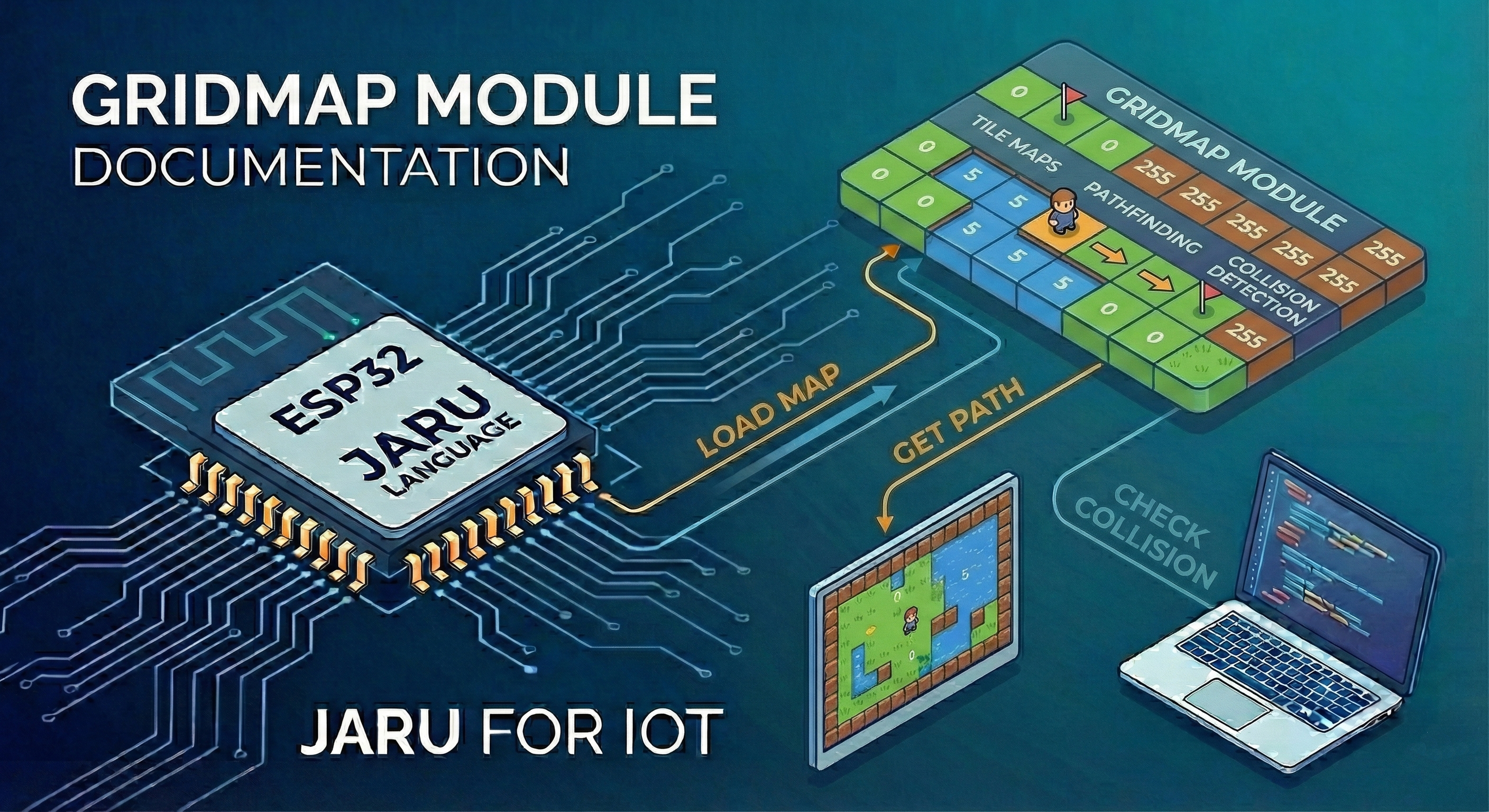
This module is especially useful for developing arcade-style games, grid-based puzzles, map simulations, and any application that needs intelligent navigation between points.
Usage
use GridMap
Constructor
new
The GridMap.new(width, height) function creates a new grid with the specified dimensions. All cells are initialized to 0.
use GridMap

// Create a 20x15 cell grid
var map = GridMap.new(20, 15)
| Parameter | Type | Description |
|---|---|---|
width | integer | Number of columns in the grid |
height | integer | Number of rows in the grid |
load
The GridMap.load(file) function loads a map from a .gmap file.
var map = GridMap.load("level1.gmap")
| Parameter | Type | Description |
|---|---|---|
file | string | Path to the .gmap file |
Return
Returns a GridMap object with the data loaded from the file, including dimensions and tile size.
Properties
Properties are accessed and assigned directly as fields of the object.
x / y
Position of the map in screen space. Useful when rendering with draw.gridBitmap or handling collisions with an offset.
map.x = 32
map.y = 16
println(map.x)  // 32.0
| Property | Type | Description |
|---|---|---|
x | float | Horizontal position of the map |
y | float | Vertical position of the map |
wrapX / wrapY
Enable toroidal movement (map edges connect). When active, pathfinding and collision operations take them into account automatically.
map.wrapX = true   // Left and right edges connect
map.wrapY = false
println(map.wrapX) // true
| Property | Type | Description |
|---|---|---|
wrapX | boolean | Connects the right edge to the left edge |
wrapY | boolean | Connects the bottom edge to the top edge |
solids
List of cell values considered solid (obstacles). The path, dMap, nearest, and hits functions use this list automatically if no additional parameters are passed.
map.solids = [1, 2, 3]   // Tiles 1, 2, and 3 are solid
println(map.solids)       // [1, 2, 3]
map.solids = nil          // No solids defined
| Property | Type | Description |
|---|---|---|
solids | list | nil | List of solid cell values |
platforms
List of cell values that act as one-way platforms (only block from above). Used by hits.
map.platforms = [4]
| Property | Type | Description |
|---|---|---|
platforms | list | nil | List of cell values for one-way platforms |
tileset
Bitmap linked to the map, used by draw.gridMap to render tiles automatically.
var ts = Bitmap.load("tileset.bmp")
map.tileset = ts
println(map.tileset)  // <bitmap>
map.tileset = nil     // Unlink
| Property | Type | Description |
|---|---|---|
tileset | Bitmap | nil | Tileset associated with the map |
bouncy / elasticity
Control bounce behavior when resolving sprite collisions via hits.
map.bouncy = true
map.elasticity = 0.8
| Property | Type | Description |
|---|---|---|
bouncy | boolean | Enables bouncing on collision |
elasticity | float | Bounce factor (0.0 = no bounce, 1.0 = full bounce) |
Instance Methods
set
The set(x, y, value) method sets the value of a specific cell.
map.set(5, 3, 1)   // Wall
map.set(0, 0, 0)   // Empty floor
map.set(2, 0, 5)   // Point of interest
| Parameter | Type | Description |
|---|---|---|
x | integer | X coordinate (column) |
y | integer | Y coordinate (row) |
value | integer | Value to assign (0-255) |
get
The get(x, y) method gets the value of a specific cell.
var value = map.get(5, 3)
println("Value at (5,3): ", value)
| Parameter | Type | Description |
|---|---|---|
x | integer | X coordinate (column) |
y | integer | Y coordinate (row) |
Return
Returns the integer value (0-255) stored in the cell. Throws an exception if the coordinates are out of range.
width / height
The width() and height() methods return the dimensions of the grid.
println("Width:  ", map.width())
println("Height: ", map.height())
clear
The clear(value) method sets all cells to the specified value.
map.clear(0)   // Clear the entire map
map.clear(1)   // Fill everything with walls
| Parameter | Type | Description |
|---|---|---|
value | integer | Value to assign to all cells (0-255) |
clone
The clone() method creates a deep copy of the grid.
var copy = map.clone()
copy.set(0, 0, 99)
println(map.get(0, 0))   // Original value unchanged
println(copy.get(0, 0))  // 99
Return
Returns a new GridMap object with the same values as the original.
tSize
The tSize() / tSize(width, height) method acts as a getter/setter for the pixel size of each tile. This value is stored in the .gmap file and is used by the rendering system.
map.tSize(16, 16)          // Set 16x16 px tiles
var size = map.tSize()     // Get -> [16, 16]
println(size[0], "x", size[1])
| Usage | Parameters | Return |
|---|---|---|
| Getter | none | [tileWidth, tileHeight] (list) |
| Setter | width:integer, height:integer (1-255) | nil |
tEmpty
The tEmpty() / tEmpty(value) method acts as a getter/setter for the empty tile index. Cells with that value are not drawn when rendering the map.
map.tEmpty(0)          // Tile 0 is the "empty" tile (default: 255)
println(map.tEmpty())  // 0
| Usage | Parameters | Return |
|---|---|---|
| Getter | none | integer (0-255) |
| Setter | value:integer | nil |
Query Methods
count
The count(value) method counts how many cells have a specific value.
var numWalls = map.count(1)
println("Walls: ", numWalls)
| Parameter | Type | Description |
|---|---|---|
value | integer | Cell value to search for (0-255) |
Return
Returns an integer with the number of cells that have that value.
has
The has(value) method checks whether at least one cell with the given value exists.
if (map.has(5)) then
    println("There are still points on the map")
end
| Parameter | Type | Description |
|---|---|---|
value | integer | Cell value to search for (0-255) |
Return
Returns true if at least one cell with that value exists, false otherwise.
find
The find(value) method searches for all cells with a specific value and returns their coordinates.
var positions = map.find(5)   // All cells with value 5
for (var i = 0; i < positions.size(); i += 2)
    var x = positions[i]
    var y = positions[i + 1]
    println("Point at (", x, ", ", y, ")")
end
| Parameter | Type | Description |
|---|---|---|
value | integer | Cell value to search for (0-255) |
Return
Returns a flat list [x1, y1, x2, y2, ...] with the coordinates of all matches (in row-by-row order). Empty list if none found.
around
The around(x, y [, use8 [, allowWrap]]) method gets the values of the cells neighboring a position.
var neighbors4 = map.around(5, 3)              // 4 cardinal neighbors
var neighbors8 = map.around(5, 3, true)        // 8 neighbors (+ diagonals)
var neighborsW = map.around(0, 0, false, true) // 4 neighbors with toroidal wrap
| Parameter | Type | Description |
|---|---|---|
x | integer | X coordinate of the center cell |
y | integer | Y coordinate of the center cell |
use8 | boolean | (Optional) If true, includes the 4 diagonals. Default: false |
allowWrap | boolean | (Optional) If true, edges connect. Default: false |
Return
Returns a list with the values of the valid neighboring cells. Without wrap, cells outside the bounds are ignored (the list may have fewer than 4/8 elements).
see
The see(x1, y1, x2, y2, blockers) method checks whether there is a clear line of sight between two cells using Bresenham's algorithm.
// Can the player see the ghost? Walls (value 1) block the view
if (map.see(playerX, playerY, ghostX, ghostY, 1)) then
    println("The ghost can see you")
end

// Multiple blocking values
if (map.see(playerX, playerY, ghostX, ghostY, [1, 2, 3])) then
    println("Line of sight is clear")
end
| Parameter | Type | Description |
|---|---|---|
x1, y1 | integer | Origin coordinates |
x2, y2 | integer | Destination coordinates |
blockers | integer | list | array | Cell values that block the line of sight |
Return
Returns true if the path between origin and destination does not pass through any blocking cell, false otherwise.
Pathfinding Methods
Pathfinding methods automatically derive walkable cells from the map's solids property (walkable = NOT solid). Toroidal wrap is taken from the wrapX and wrapY properties. If different behavior is needed, dMap and nearest accept optional parameters to manually specify walkable cells and wrap.
path
The path(sx, sy, gx, gy) method finds the shortest path between two points using BFS.
// Define which tiles are solid (obstacles)
map.solids = [1]

var route = map.path(0, 0, 10, 10)

if (route != nil) then
    println("Path with ", route.size() / 2, " steps")
    for (var i = 0; i < route.size(); i += 2)
        println("  -> (", route[i], ", ", route[i+1], ")")
    end
else
    println("No path available")
end
| Parameter | Type | Description |
|---|---|---|
sx | integer | Starting X coordinate |
sy | integer | Starting Y coordinate |
gx | integer | Goal X coordinate |
gy | integer | Goal Y coordinate |
Return
Returns a flat list [x0, y0, x1, y1, ..., gx, gy] with the path coordinates, or nil if no path exists or if the start/goal are not walkable.
Walkable cells are automatically calculated as the complement of map.solids. Make sure to assign map.solids before calling path. Wrap is taken from map.wrapX and map.wrapY.
dMap
The dMap(targets [, walkable [, allowWrap]]) method builds a BFS distance map from all cells that have the target values.
// Distance map to cell type 5 (dots/pellets)
map.solids = [1]
var distances = map.dMap(5)

// Query distance from any position
var dist = distances.get(playerX, playerY)
println("Distance to nearest dot: ", dist)

// With multiple target types
var distances2 = map.dMap([5, 6])

// With manual walkable list and wrap
var distances3 = map.dMap(5, [0, 5, 6], true)
| Parameter | Type | Description |
|---|---|---|
targets | integer | list | array | Cell value(s) from which distance is measured |
walkable | list | array | (Optional) Cell values that can be traversed |
allowWrap | boolean | (Optional) Enables toroidal movement |
Return
Returns a new GridMap where each cell contains the minimum distance to the nearest target. Unreachable cells have value 255.
With a single argument, dMap derives walkable cells from map.solids (walkable = NOT solid) and wrap from map.wrapX/map.wrapY.
nearest
The nearest(targets, sx, sy [, walkable [, allowWrap]]) method finds the shortest path from a position to the nearest cell that has one of the target values.
// Player position: which dot is closest?
map.solids = [1]
var route = map.nearest(5, playerX, playerY)

if (route != nil) then
    // The last pair of values is the position of the found target
    var n = route.size()
    var tx = route[n - 2]
    var ty = route[n - 1]
    println("Nearest dot at (", tx, ", ", ty, ")")
    println("Steps: ", n / 2)
else
    println("No reachable dots")
end
| Parameter | Type | Description |
|---|---|---|
targets | integer | list | array | Cell value(s) to search for |
sx | integer | Starting X coordinate |
sy | integer | Starting Y coordinate |
walkable | list | array | (Optional) Walkable cell values |
allowWrap | boolean | (Optional) Enables toroidal movement |
Return
Returns a flat list [sx, sy, ..., tx, ty] with the path from origin to the nearest target cell, or nil if no target is reachable.
dir
The dir(x, y [, use8]) method gets the best direction to follow from a position in a distance map (result of dMap). This allows moving an agent toward the nearest target without recalculating the full path every frame.
map.solids = [1]
var distances = map.dMap(5)   // Distance map to the dots

// Ghost AI: move toward the nearest dot
var d = distances.dir(ghostX, ghostY)
if (d == 1) then ghostY -= 1    // Up
elsif (d == 2) then ghostY += 1 // Down
elsif (d == 3) then ghostX -= 1 // Left
elsif (d == 4) then ghostX += 1 // Right
end
| Parameter | Type | Description |
|---|---|---|
x | integer | Current X coordinate |
y | integer | Current Y coordinate |
use8 | boolean | (Optional) If true, also considers diagonals. Default: false |
Return
Returns an integer indicating the optimal direction:
| Value | Direction |
|---|---|
0 | No movement (already at goal or unreachable cell) |
1 | Up (y-1) |
2 | Down (y+1) |
3 | Left (x-1) |
4 | Right (x+1) |
5 | Up-Left (x-1, y-1) — 8-direction mode only |
6 | Up-Right (x+1, y-1) — 8-direction mode only |
7 | Down-Left (x-1, y+1) — 8-direction mode only |
8 | Down-Right (x+1, y+1) — 8-direction mode only |
Collisions
hits
The hits(sprite_or_list) method resolves physical collision between one or more sprites and the map. It reads the solids and platforms properties directly from the GridMap to determine which tiles block and which are one-way platforms.
map.solids = [1, 2]
map.platforms = [3]

// Collision with a single sprite
var tilesHit = map.hits(player)

// Collision with multiple sprites at once
var all = [player, enemy1, enemy2]
var hit = map.hits(all)
| Parameter | Type | Description |
|---|---|---|
sprite_or_list | Sprite | list | Individual sprite or list of sprites to resolve |
Return
Returns a list with the values of the tiles that were involved in a collision.
Important Concepts
Cell Values
Each cell stores a value from 0 to 255 that can represent:
| Value | Typical Use |
|---|---|
0 | Empty floor / walkable |
1 | Wall / obstacle |
2-254 | Different terrain types or states |
255 | Reserved for "unreachable" in distance maps |
Toroidal Movement (Wrap)
When wrapX or wrapY are true, grid edges connect:
wrapX: moving right from the last column leads to the first column.wrapY: moving down from the last row leads to the first row.
This is useful for Pac-Man style games where characters can traverse map edges.
map.wrapX = true
map.wrapY = true
var route = map.path(0, 5, 19, 5)  // Can go around the edges
Algorithmic Complexity
All pathfinding operations use BFS with O(W×H) complexity, where W is the width and H is the height of the grid.
Example: Finding the Path Between Two Points
use GridMap

var map = GridMap.new(8, 5)
map.solids = [1]

// Build a small map with a corridor in the middle
//  . . . . . . . .
//  . # # # # # . .
//  . . . . . . . .
//  . . # # # # # .
//  . . . . . . . .
for (var x = 1; x <= 5; x++) map.set(x, 1, 1) end
for (var x = 2; x <= 6; x++) map.set(x, 3, 1) end

var route = map.path(0, 0, 7, 4)

if (route != nil) then
    for (var i = 0; i < route.size(); i += 2)
        println("(", route[i], ", ", route[i+1], ")")
    end
else
    println("No path")
end
Example: Enemy Chasing the Player with dMap + dir
use GridMap

var map = GridMap.new(10, 6)
map.solids = [1]

// A few walls
map.set(3, 0, 1)  map.set(3, 1, 1)  map.set(3, 2, 1)
map.set(6, 3, 1)  map.set(6, 4, 1)  map.set(6, 5, 1)

var playerX = 0  var playerY = 0
var enemyX  = 9  var enemyY  = 5

// Build the dMap centered on the player (value 0 = goal)
// Mark the player's cell as type 9 temporarily
map.set(playerX, playerY, 9)
var dist = map.dMap(9)
map.set(playerX, playerY, 0)  // restore

// The enemy queries the optimal direction
var d = dist.dir(enemyX, enemyY)

// Movement table
var ddx = [0, 0, 0, -1, 1, -1, 1, -1, 1]
var ddy = [0, -1, 1, 0, 0, -1, -1, 1, 1]

enemyX = enemyX + ddx[d]
enemyY = enemyY + ddy[d]

println("Enemy moves to (", enemyX, ", ", enemyY, ")")
Usage with the Draw Module
The Draw module includes the gridBitmap function for efficiently rendering grids:
use Display, GridMap

var draw = Display.draw

const COLS = 12
const ROWS = 8
const CELL_SIZE = 16

// 0 = empty
// 1 = small dot
// 2 = large dot
var grid = GridMap.new(COLS, ROWS)

var imgPoint = Bitmap.load("Images/dot.bmp")

func InitGrid()
    for (var y = 0; y < ROWS; y++)
        for (var x = 0; x < COLS; x++)
            // Fill almost the entire grid with small dots
            grid.set(x, y, 1)
        end
    end

    // Leave some gaps
    grid.set(3, 2, 0)
    grid.set(4, 2, 0)
    grid.set(5, 2, 0)
    grid.set(6, 2, 0)

    // Four large dots, Pac-Man style
    grid.set(1, 1, 2)
    grid.set(COLS - 2, 1, 2)
    grid.set(1, ROWS - 2, 2)
    grid.set(COLS - 2, ROWS - 2, 2)
end

func DrawGridEfficient()
    const X0 = 20
    const Y0 = 20

    // Efficient render:
    // draws all cells with value 1 at once
    draw.gridBitmap(grid, 1, imgPoint, X0, Y0, CELL_SIZE, CELL_SIZE)

    // Special elements are drawn separately
    draw.color = 0x0000FF

    if (grid.get(1, 1) == 2) then
        draw.ellipse(X0 + 1 * CELL_SIZE, Y0 + 1 * CELL_SIZE, 4, 4, true)
    end

    if (grid.get(COLS - 2, 1) == 2) then
        draw.ellipse(X0 + (COLS - 2) * CELL_SIZE, Y0 + 1 * CELL_SIZE, 4, 4, true)
    end

    if (grid.get(1, ROWS - 2) == 2) then
        draw.ellipse(X0 + 1 * CELL_SIZE, Y0 + (ROWS - 2) * CELL_SIZE, 4, 4, true)
    end

    if (grid.get(COLS - 2, ROWS - 2) == 2) then
        draw.ellipse(X0 + (COLS - 2) * CELL_SIZE, Y0 + (ROWS - 2) * CELL_SIZE, 4, 4, true)
    end
end

func main()
    Display.open(320, 240)
    Display.autoClear = true
    Display.showBG = false

    InitGrid()

    while (true)
        DrawGridEfficient()
        Display.update()
        pause(16)
    end
end

main()
Performance Considerations
- A 100×100 grid uses approximately 10 KB.
- Pathfinding operations are O(W×H); consider map size for real-time applications.
- Use
dMap+dirwhen multiple agents need to navigate toward the same targets: calculatedMaponce and calldironce per agent each frame.
Supported Platforms
| Platform | Support | Notes |
|---|---|---|
| Windows | ✅ | Full support |
| ESP32 | ✅ | Full support |
| Emscripten (Web) | ✅ | Full support |