A game made with an assistant
This page shows a real case, from start to finish. StarGarden is a small game that Claude made through the connection of JARU IDE (Connecting an AI assistant): it started from an empty project and nobody touched the IDE by hand. It drew it, gave it music, set up the room, built it and played it by itself to check it.
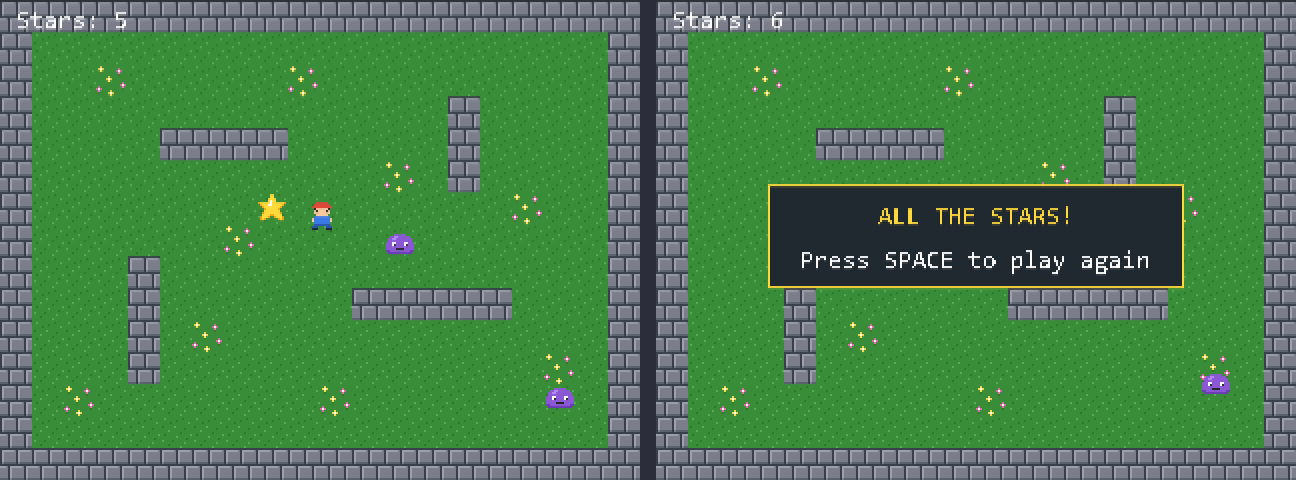
The game: a gardener, seen from above, collects the six stars of a walled garden and keeps away from two slimes that patrol. If a slime touches him, the game starts again.
What it was asked
The request was short: a small game, in a new project, with graphics and with music. Which game, how it looks and how it sounds was the assistant's choice.
If you want to try something similar, a request like this is enough to get started:
Make a small game in a new project: a character seen from above that
collects stars in a walled garden and keeps away from some enemies that
patrol. Draw the graphics yourself and give it music. Once it builds,
play it and tell me whether it works.
You won't get the same game: it solves it its own way every time.
What it did, step by step
Everything that follows was written down in Output, with [CLAUDE] in front. It took 39 requests to have the game building.
1. It read the reference
Before writing anything it asked the IDE for the reference of the language, of a game with rooms, of the behaviours and of the rules:
[CLAUDE] reference name=language
[CLAUDE] reference name=scenes
[CLAUDE] reference name=behaviours
[CLAUDE] reference name=rules
2. It created the project and drew the graphics
It created the StarGarden project and drew, pixel by pixel, an image with three 16 × 16 tiles (grass, grass with flowers and wall) and three more with the two frames of the gardener, of the star and of the slime. From those three it made the sprites, each with its animation speed and with the area that collides.
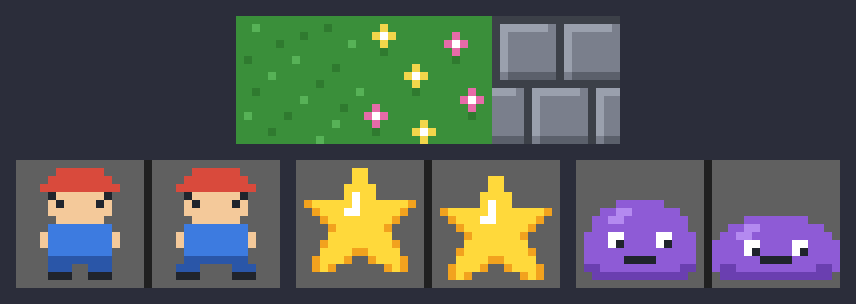
After each drawing the IDE gives it the picture back, so it sees what it has painted and can correct it.
3. It made the tilemap
A tilemap of 20 × 15 cells with that tileset: grass, nine cells with flowers, a wall all around and four walls inside. In the wall cells it also set the cell value 1, which is what the room uses so that nobody can walk through them.
4. It wrote the music
A tune of 32 rows that loops: the lead voice, the bass and the drums of the noise channel, with the standard instruments.
It can write the music, but not listen to it. Open it yourself in the Music Tracker and tell it what to change.
5. It set up the room
It created the Garden room, gave it the size of the screen, the tilemap, the music and the cell values that are solid, and placed in it:
- The gardener, with the top-down control behaviour and unable to leave the room.
- Six stars, with the tag
star. - Two slimes, with the tag
enemyand the patrol behaviour: one from side to side and the other up and down. - A marker that writes on screen the stars collected.
And two rules, with no code:
| When… | Then… |
|---|---|
| the player touches a star | the star disappears, the counter goes up by one and an effect sounds |
| the player touches a slime | a hit sounds, the counter goes back to zero and the room starts again |
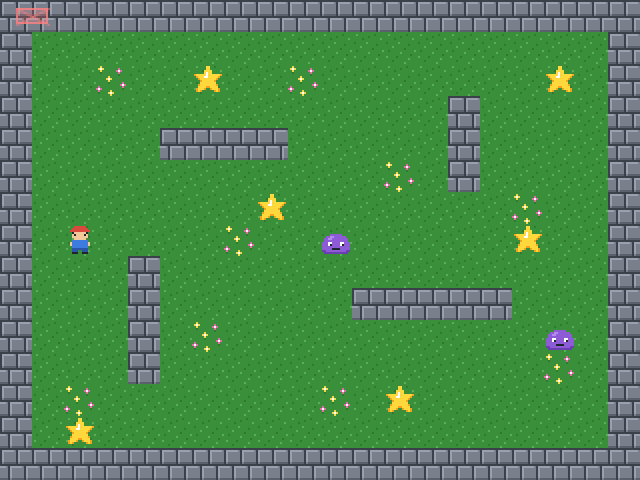
How behaviours and rules work is in the scene editor.
6. It wrote the code
The room does almost everything by itself, so the main file is about 50 lines: it opens the screen, loads the room, moves it every frame and shows the ending. This is its central part:
room = GardenLoad(nil)
while (not Input.pressed(ACT_QUIT))
  if (sceneGame.score < STARS) then
    GardenUpdate(room)          // behaviours and rules
    room.scene.update()         // movement and animations
    GardenResolve(room)         // nobody walks through the walls
  end
  GardenDraw(room)

  if (sceneGame.score >= STARS) then
    draw.color = 0x202830           // a dark panel, so that the text reads well
    draw.rect(56, 92, 208, 52, true)
    draw.color = 0xFFD93B
    draw.rect(56, 92, 208, 52)
    draw.text(111, 102, "ALL THE STARS!", 0xFFD93B)
    draw.text(72, 124, "Press SPACE to play again", 0xFFFFFF)
    if (Input.justPressed(ACT_AGAIN)) then
      SceneGameReset()
      room = GardenLoad(nil)
    end
  elsif (room.nextScene != "") then
    room = GardenLoad(nil)      // a slime touched the hero: start again
  end
  Display.update()
end
What each of those functions is, in A game with rooms.
7. It built it and played it
It built on the first try. Then it ran the game, paused it and played it one key press at a time, looking at the screenshot after each one:
[CLAUDE] build
[CLAUDE] run
[CLAUDE] pause
[CLAUDE] press_key key=DOWN hold_ms=1300
[CLAUDE] press_key key=UP hold_ms=1200
[CLAUDE] press_key key=RIGHT hold_ms=1500
That is how it checked that the gardener moves, that collecting a star raises the counter, that a slime sends the game back to the start and, collecting all six, that the ending shows.
8. It fixed what it didn't like
In the first version the ending text was hard to read over the drawing of the garden. It stopped the game, changed the code to paint a dark panel behind the text, ran it again and played to the end once more to see it.
How the project ended up
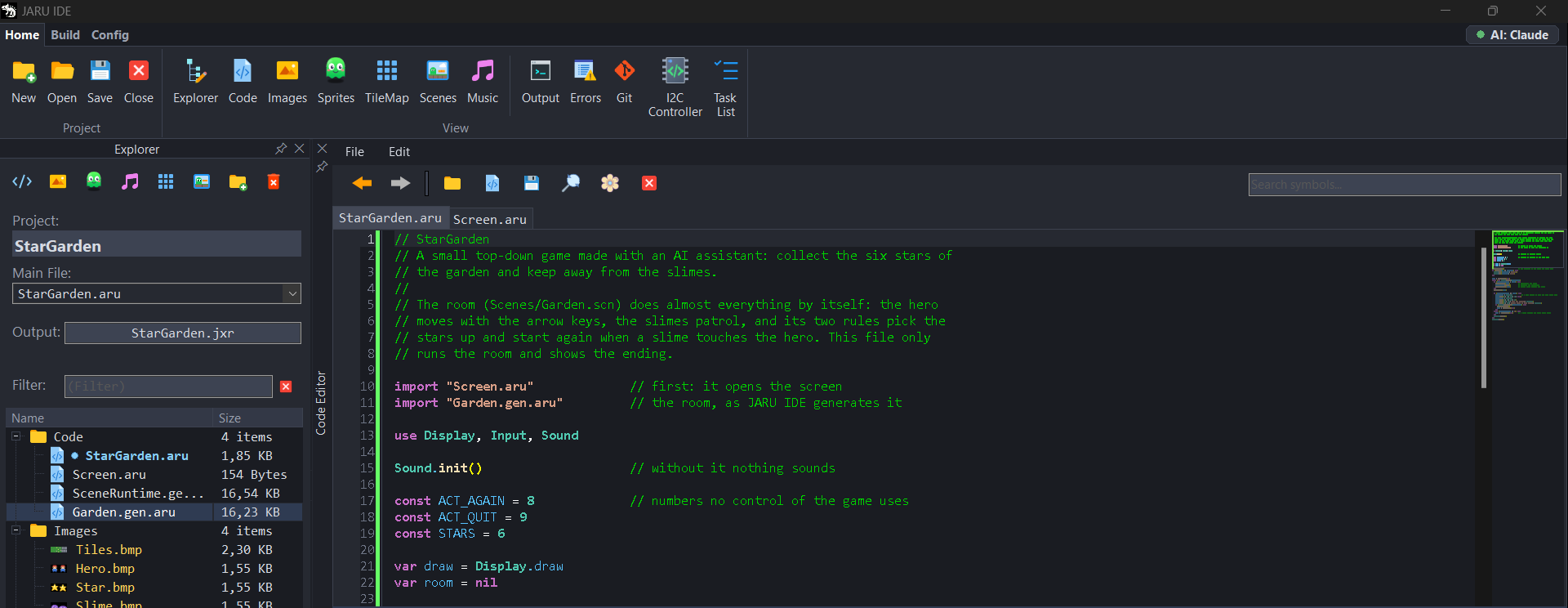
While it worked, the badge said AI: Claude. The explorer has everything it created: two code files, four images, three sprites, a tilemap, a piece of music and a room. The two .gen.aru files are generated by JARU IDE from the room.
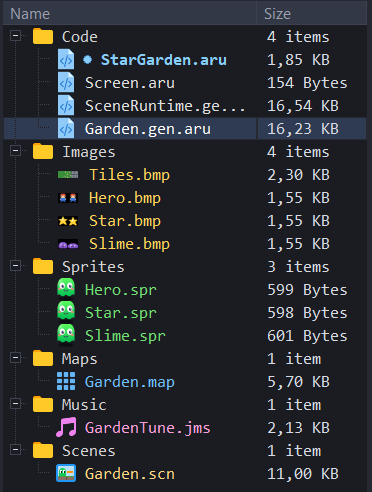
It is a project like any other: you open it, change it by hand in the editors of the IDE or keep asking the assistant for things.
What next
With the game like this, these requests are a good next step:
Add a title screen with the name of the game.
Add a second, harder room, and move on to it when all the stars are collected.
The music gets repetitive: make it twice as long, with a second part.